

image holds a picture. A column of type file holds any other document, for example a PDF, an audio clip, a CSV or a text file. Both column types accept an uploaded file, a public URL or a data URL.
Set the type in the New Dataset drawer, in Edit columns on an existing dataset, or in the columns step of a file upload.
Upload a file into a cell
The dataset editor and the experiments workbench render these two column types the same way. An empty cell shows an Upload button and an or enter URL link. Click Upload and pick one file. Animage column offers image files only. A file column offers every file type, except the types a browser can run: HTML, SVG and JavaScript. LangWatch refuses those types because it serves the file back from its own address.
A filled image cell shows the picture. A filled file cell shows a chip with the file name; click the chip to open the file. Hold the pointer over a filled cell to get Replace and Clear.
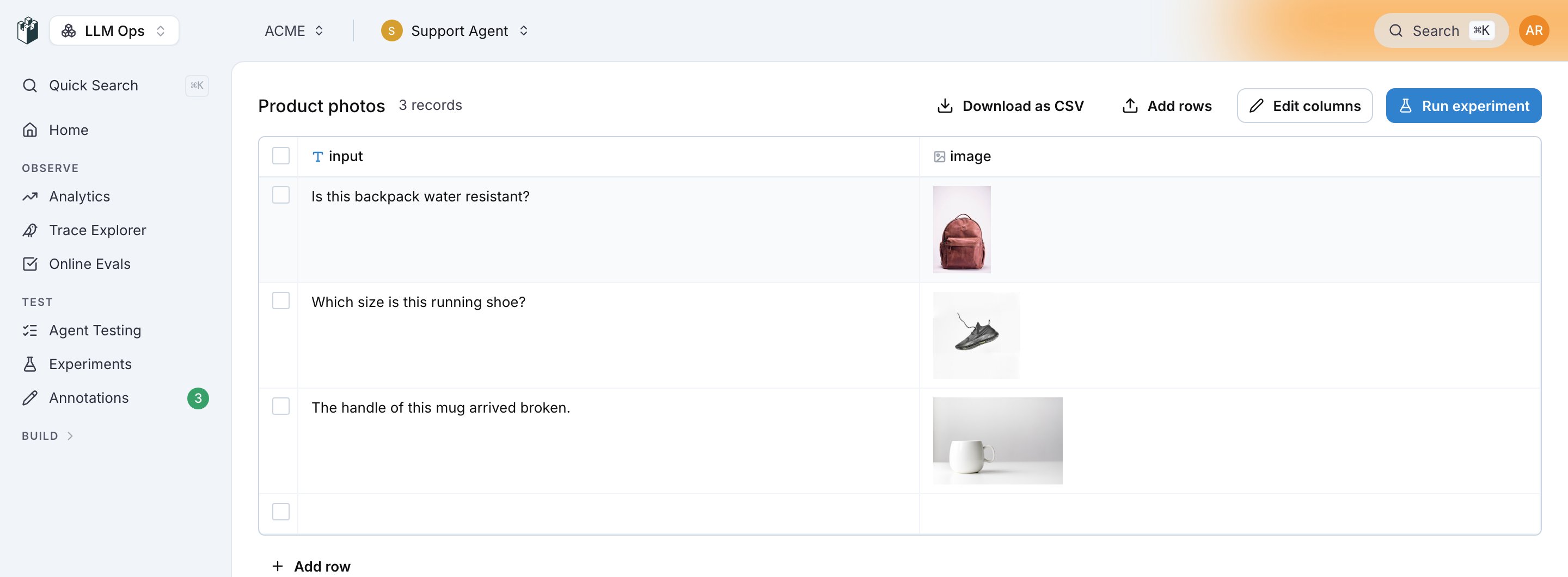
Enter a URL instead
Click or enter URL, or double-click the cell, to get the text editor. Type a public URL or adata: URL. This is also what an API client writes, so datasets that used image URLs before continue to work with no change.
The grid shows a thumbnail when the value is a data:image/...;base64, string, a markdown image (), or a URL that ends in .jpeg, .jpg, .gif, .png, .webp, .svg or .bmp. A URL without an image extension shows a thumbnail only when its path is longer than 30 characters and contains a word such as image, img, photo, media or upload. Other values show as text, and the experiment still reads them as an address.
Limits and permissions
An upload needs the
datasets:manage permission, the same permission that a dataset row change needs. Reading a stored file needs datasets:view. A URL that resolves to a private or internal address is refused.
What the model receives
A prompt input has one of these types: Text, Image, Number, Boolean or File. Map animage column to an Image input, and a file column to a File input.
LangWatch delivers the file to the model by its media type:
A File input that holds an
http(s) URL is read by LangWatch first, under the same 20 MB and 30-second limits, and is then delivered by its content type. An Image input keeps the behavior it had before: LangWatch reads the address and sends the picture bytes, so the model provider does not have to open the link.
Provider support for file content parts is not the same everywhere. A provider that refuses the part fails the cell, and the cell shows the message of the provider.
An evaluator reads an uploaded file as base64 data. An external URL goes to the evaluator’s model provider as it is, so that address must be reachable by the provider.
What agents receive
An agent runs outside LangWatch, so it cannot open a LangWatch reference. When animage or a file column is mapped to an HTTP agent input, to a connected agent parameter, to a code agent input or to a workflow input, LangWatch reads the file first and sends a base64 data URL:
name parameter. A cell that holds an external URL is read the same way, so the agent always gets the bytes and never an address it cannot open.
A connected agent column also has an optional attachment input. See Connect your agent for how the agent reads it.
Upload from the REST API
POST /api/dataset/attachments stores one file and returns the reference a cell holds. Name the project in the projectId query parameter, and send the file as multipart form data in the file field. The datasetId field is optional and records which dataset owns the file. Authenticate with a project API key or with a session. The route accepts 30 uploads a minute per project.
url string into the cell, not the whole object. name, mediaType
and sizeBytes are there for your own bookkeeping; a cell that holds the object
does not resolve as an attachment.
See Create Attachments for the full reference, and Programmatic access to write the value into a row.
Error codes
Also check: Multimodal evaluation for an experiment that scores image outputs.