

/governance/inventory?tab=catalog). Anything you publish here lands on
every matching user’s /me portal grid.
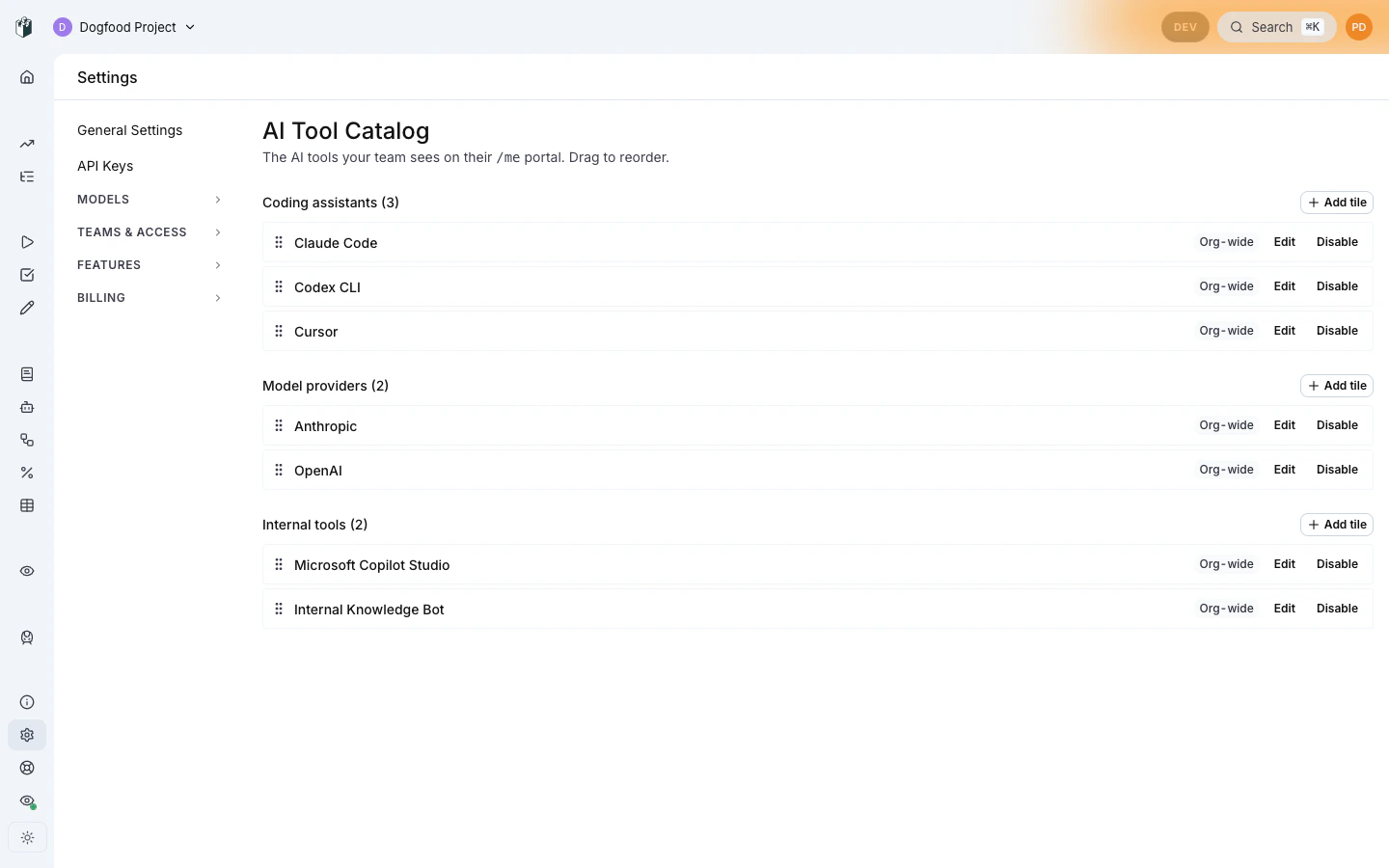
Pairs with: Portal overview for the user-side tile
grid, and End-user tile interactions for what each tile
expands into.
Permission required:
aiTools:manage (granted to ADMIN by default; delegable via the
CustomRolePermissions JSON column).Starter pack
A fresh organization does not start empty: the standard catalog is provisioned automatically at signup (and on the portal’s first load for organizations created before this behavior), so your members’/me
portal renders tiles from day one:
- Coding assistants: Claude Code, Codex, Gemini CLI, opencode
- Model providers: OpenAI, Anthropic, AWS Bedrock, Google AI
- External tools: empty (admins fill these in per-org with internal links)
Adding a tile
Click + Add tile to open the upsert drawer. The drawer is shaped by the type picker: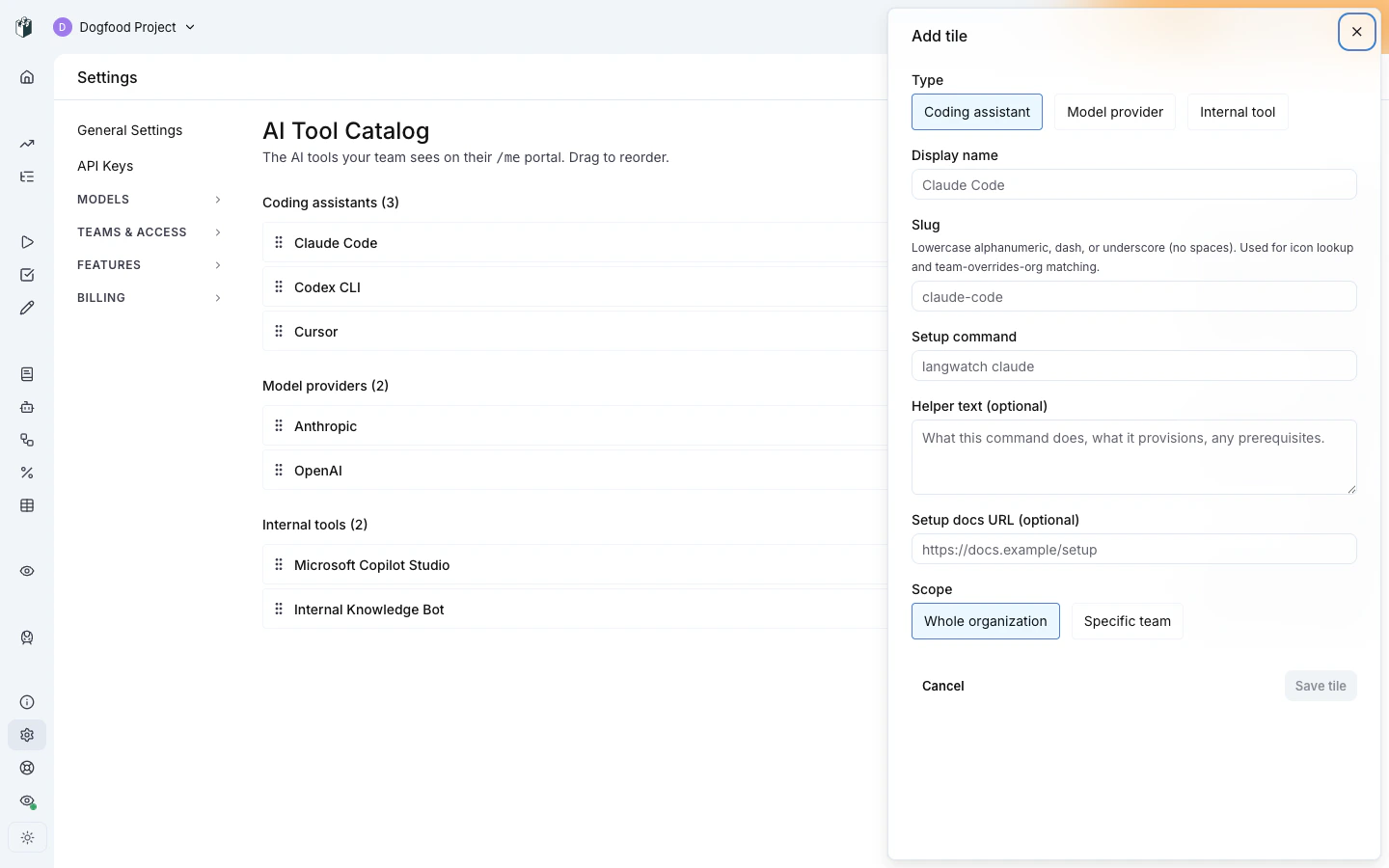
Coding assistant
The user-side click-to-expand renders the setup command in a
copy-to-clipboard code block plus the helper text and docs link.
Model provider
The user-side click-to-expand opens an inline virtual-key creation form.
The form posts to
personalVirtualKeys.issuePersonal with the suggested
routing policy attached, so the admin’s routing policy chain (provider
order, fallback, per-model rules) applies automatically.
External tool
The user-side click-to-expand renders the markdown via LangWatch’s
existing safe-markdown pipeline (HTML sanitization is on; no inline
JavaScript, no inline
<img> from third-party hosts, external links
get rel="noopener noreferrer").
Scope binding
Each tile is scoped either org-wide (visible to every user in the org) or team-scoped (visible only to that team’s members). Team scoping uses the existing org-team multi-select picker.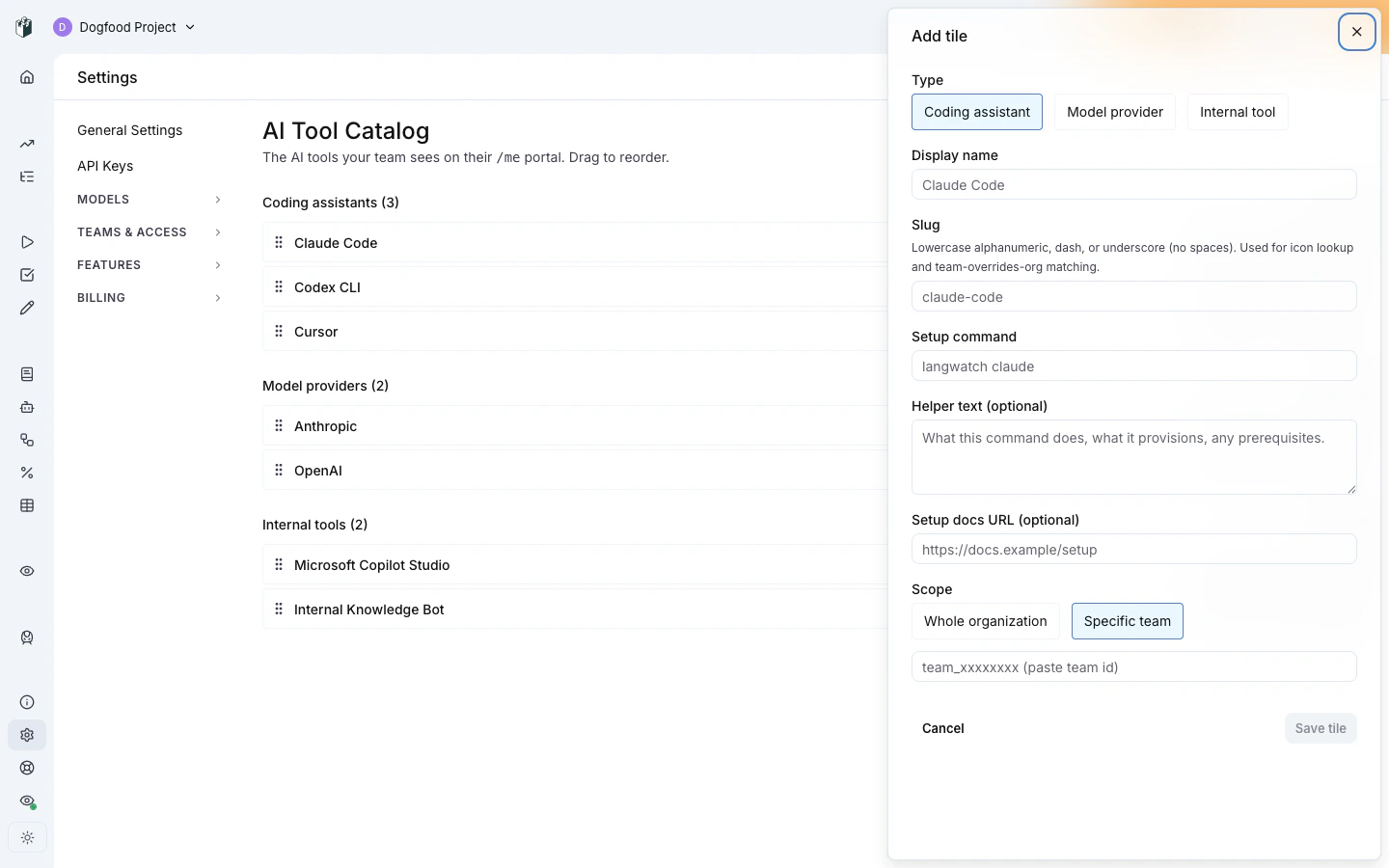
slug with an org-scoped tile, the
team entry overrides the org entry for users in that team. This is
the recommended pattern for “engineering gets Cursor, everyone else
gets Copilot”, publish Copilot at org scope, then publish a Cursor
entry with slug: copilot (or the same slug as the team’s preferred
override) at team scope.
Reordering
Tiles in the editor are drag-to-reorder within their type section. The order is per-section, you can’t move a coding-assistant tile under the model-providers section. Order is admin-curated; the portal respects it strictly.Archive vs disable
Two soft-delete shapes:- Disable (toggle the tile to disabled state), hides the tile from end users but keeps it in the admin list, ready to re-enable.
- Archive (
archivedAtset to now), hides from both end users and admin list. Archive is meant for “we no longer offer this tool”; disable is meant for “we’re rolling this out gradually” or “we’re taking it down for the day”.
Where to next
- End-user tile interactions: what your published tiles look like to users.
- Personal IDE keys: the underlying device-flow + virtual-key provisioning that coding-assistant tiles trigger.
- Routing policies: the policy chain bound by model-provider tile virtual keys.