

Pairs with: Governance dashboard for the Spend by department card, Members & invites and Workspaces & access for where you assign them, and Roles & permissions for why departments are not access control.
Departments are pure accounting. They never grant or restrict access. Assigning someone to “Engineering” changes how their spend is attributed, nothing else.
How spend is attributed
Every trace that hits the gateway resolves to exactly one department, picked by this precedence:- The principal user’s department. If the trace has a principal user and that user is assigned to a department, it wins.
- The user’s team department (inherited). If the principal user has no own department, the department of their team is used.
- The project’s department. A trace with no principal user (an autonomous agent) attributes to the department of the project it ran in.
- Unassigned. If none of the above resolve, the trace rolls up under Unassigned.
Where you assign departments
An org can have tens of thousands of members, so assignment lives on the pages that already paginate the org chart, not as one flat list:
The departments page itself only creates, renames, and archives departments, and links out to those surfaces. It never renders a per-person assignment list, so it stays usable in a large org.
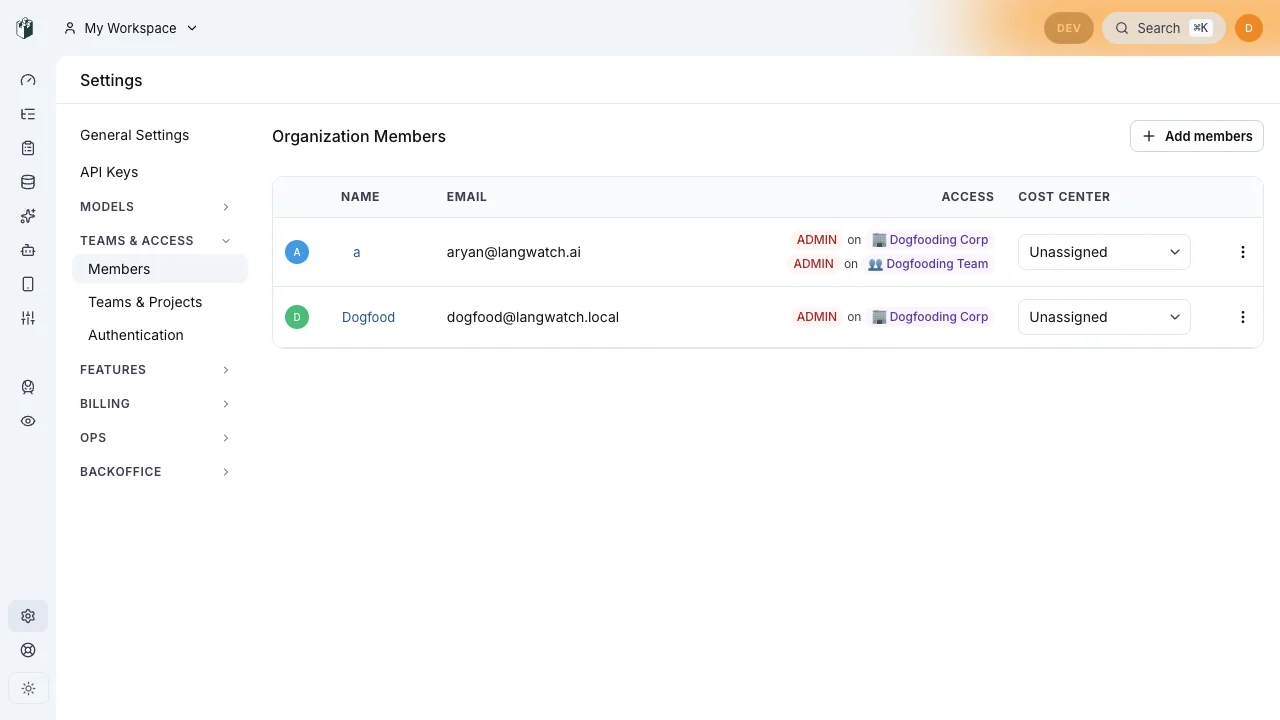
On the members page each person carries a Department column. The picker assigns that member's spend, including their personal AI use, to a department.
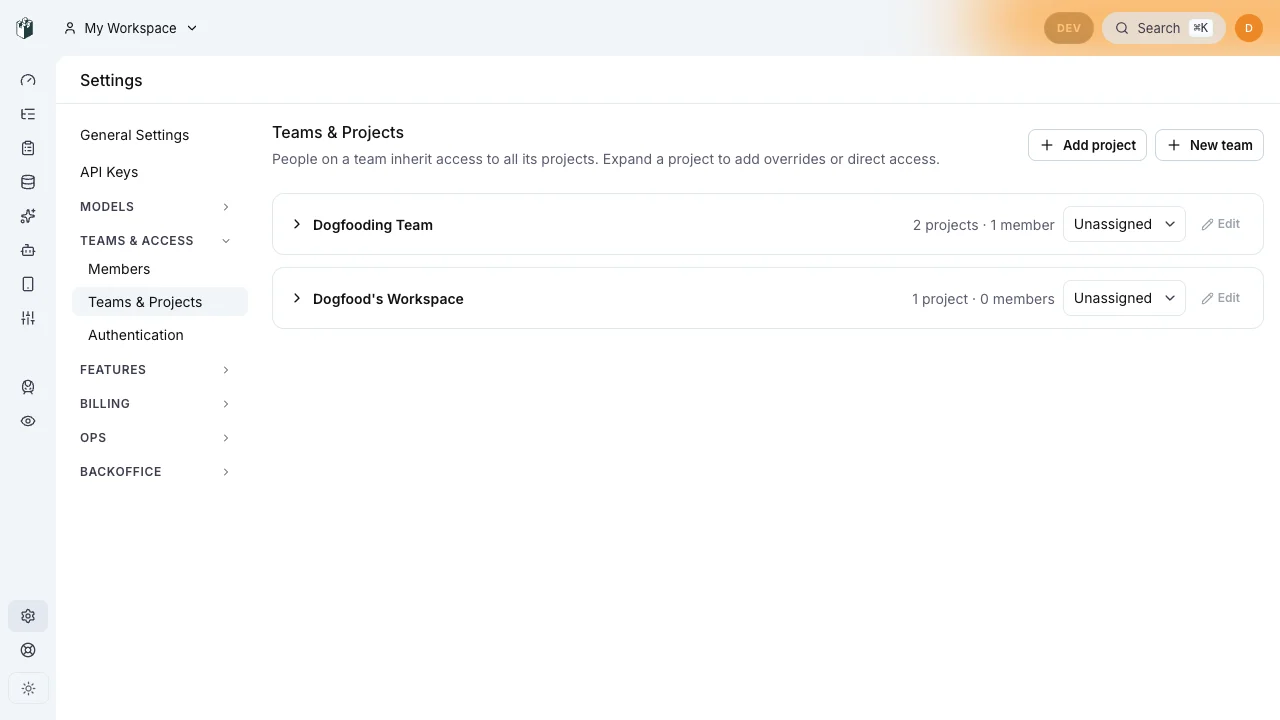
On the teams page each team row carries the same picker. A team's department is the default its members and projects inherit when they have none of their own.
Managing departments
Open the departments page under Governance → People (/governance/people) to:
- Create a department by name (Engineering, Marketing, …).
- Edit a department’s name.
- Archive a department you no longer use.
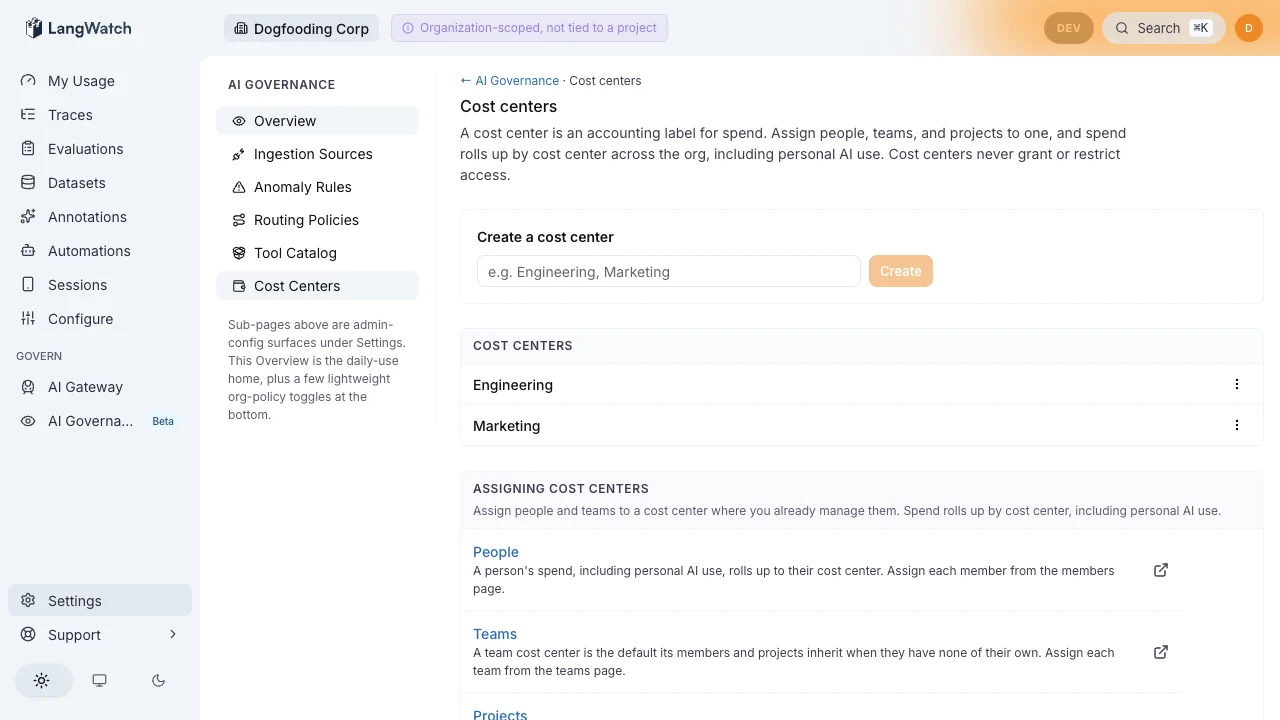
The departments page lists each department with a kebab menu for Edit and Archive. The page only creates, renames, and archives; it never renders a per-person assignment list.
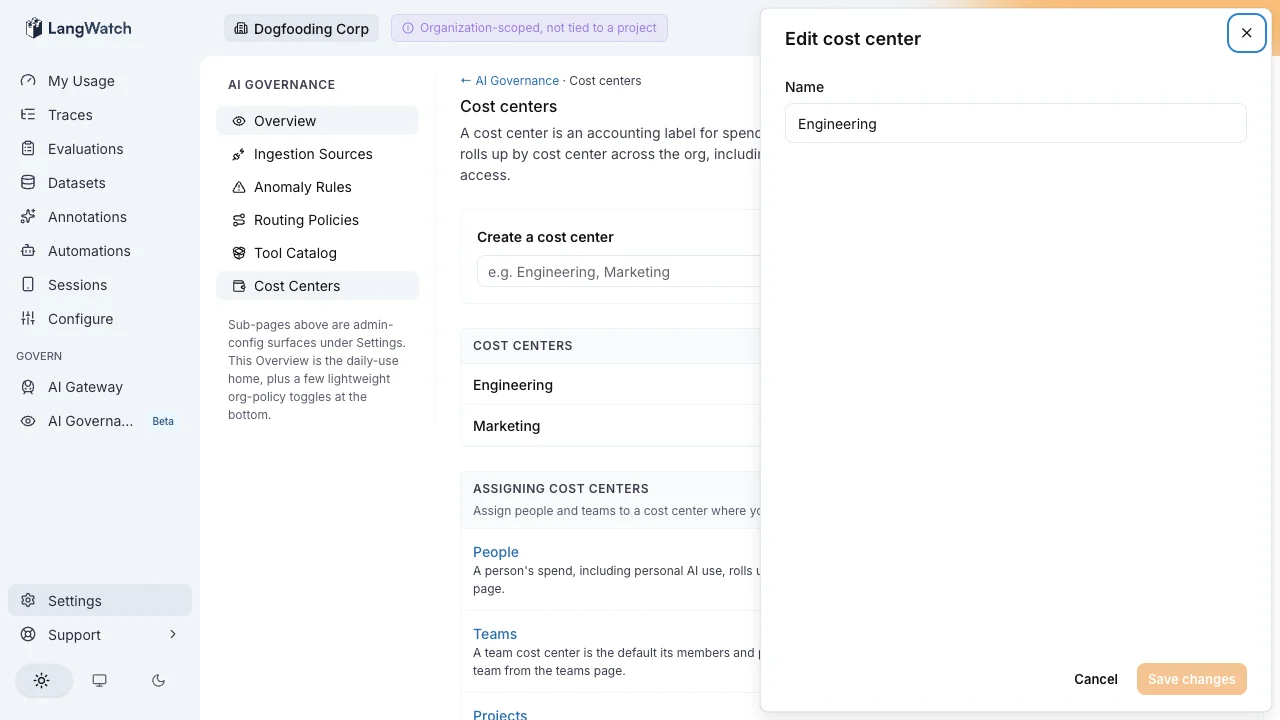
Edit opens a drawer with a single Name field. Saving renames the department and the list updates in place.
SCIM auto-assignment
For organizations that provision identities through SCIM, assignment is automatic. The SCIM 2.0 Enterprise User extension carries a standardcostCenter attribute, so an IdP (Okta, Entra ID, …) can drive department membership the same way it drives department or division. Manual per-row assignment is the fallback for orgs without SCIM.
Archiving
Archiving a department is non-destructive:- It no longer appears in the assignment picker on the members, teams, and project surfaces.
- Spend previously attributed to it rolls up under Unassigned rather than disappearing.
Spend by department on the dashboard
The governance dashboard renders a Spend by department card. Each department’s total includes spend from personal projects, team projects, and agent projects attributed to it, aggregated across every project in the org. This is the cross-org view: the card is not limited to a single governance ingestion project, so a fully active org with no dedicated ingestion source still sees real numbers. The Marketing-versus-Engineering comparison reads from departments, not from RBAC roles or team-membership counts. Every underlying query is tenant-isolated: a department rollup for your org contains zero spend from any other org.Permissions
- Reading the department list requires
governance:view, which is also what opens the page. - Creating, renaming, and archiving departments requires
governance:manage(granted to ADMIN by default). Without it, the page shows the list and hides the write controls. - Assigning people, teams, and projects to a department happens on the respective surfaces under the same
governance:managepermission. - Departments never appear in any access-control decision. They are an accounting dimension only.
Where to next
- See the rollup: Governance dashboard.
- Assign people: Members & invites.
- Understand access vs accounting: Roles & permissions.
- Provision via SCIM: Workspaces & access.