

- Cost per session and per turn
- Model used per turn, including subagents
- Cache writes vs cache reads (cached prompts are 10x cheaper, so you can adjust your setup to maximize it)
- Full prompt body
- Trace tree of tool calls, latencies, and durations
- Have your agent automatically self-improve by inspecting its own traces, via LangWatch skills or MCP
Step 0: Get LangWatch
Pick one and stop on/me:
SaaS (fastest). Sign up at app.langwatch.ai. You land on /me.
Self-hosted (one command).
http://localhost:5560. Open it, sign up with email and password.
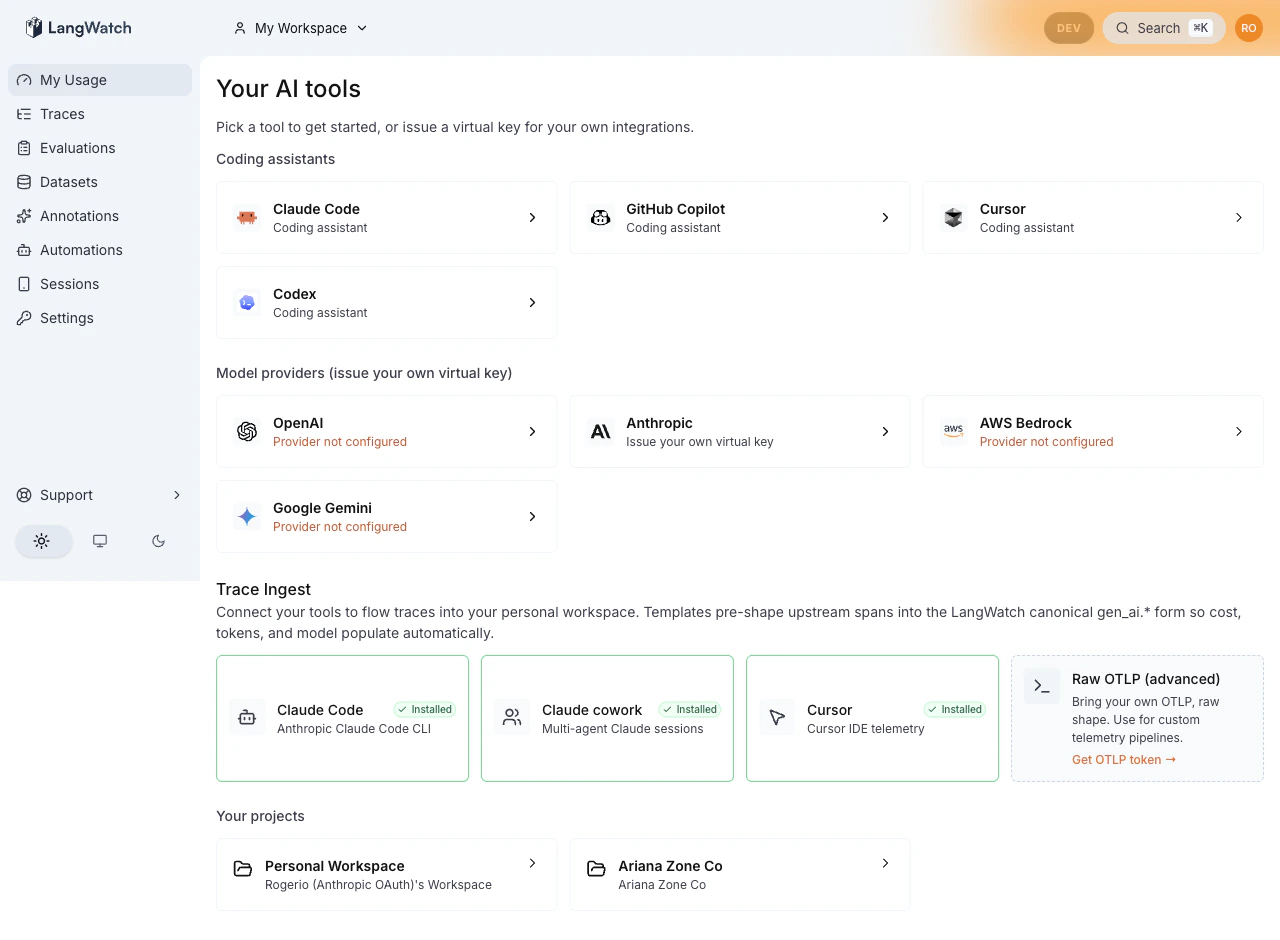
Tracking Claude Code usage on pay-per-token API keys
You hold an Anthropic API key and pay per request. This path routes every Claude Code call through a local gateway that holds your key, captures the full request and response server-side, and writes a trace. Cost numbers come straight from Anthropic’s response.1.1 Paste your Anthropic key
Open Settings → Model providers (URL:/settings/model-providers), click the Anthropic tile, paste your sk-ant- key.
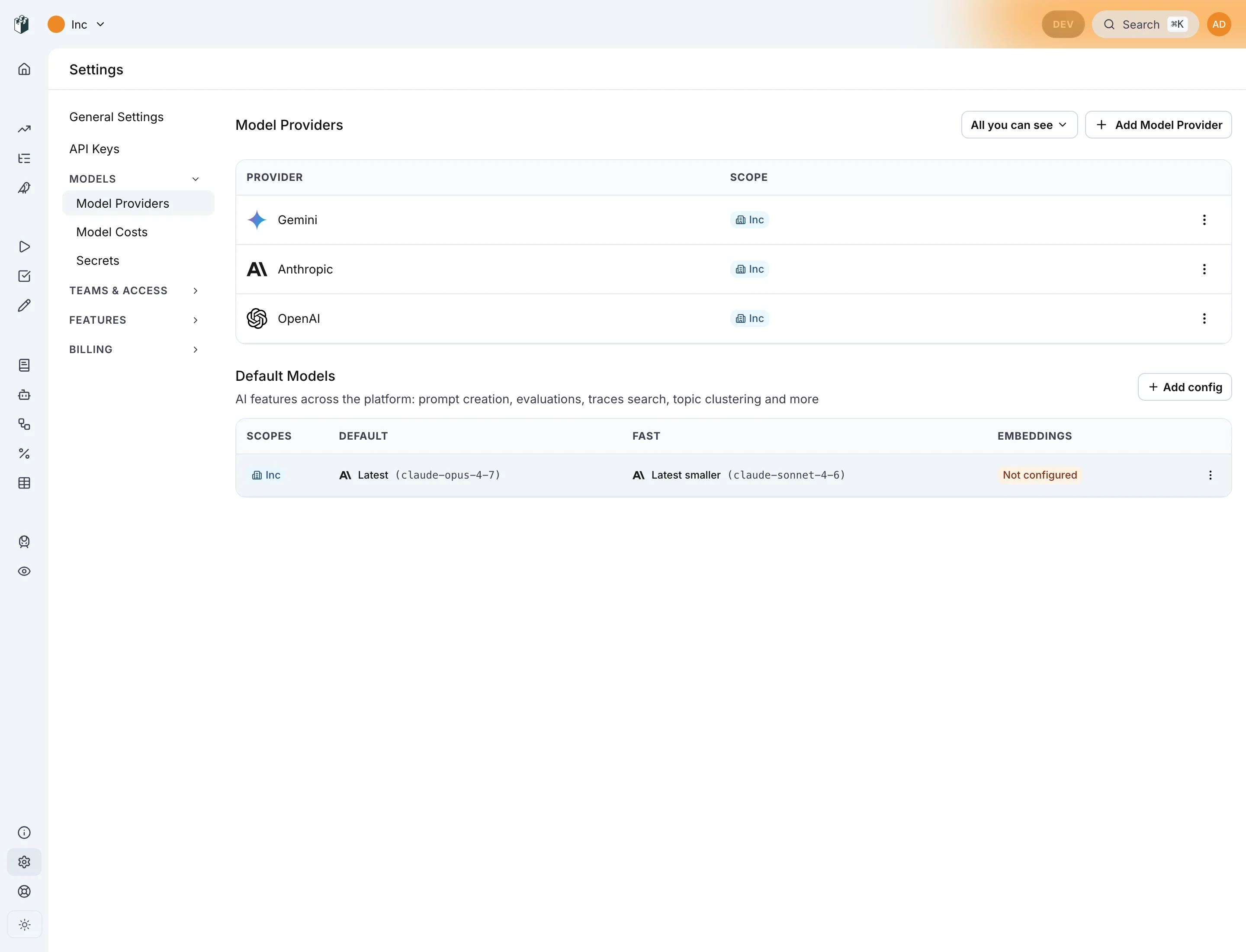
1.2 Install the CLI
1.3 Log in
~/.langwatch/config.json.

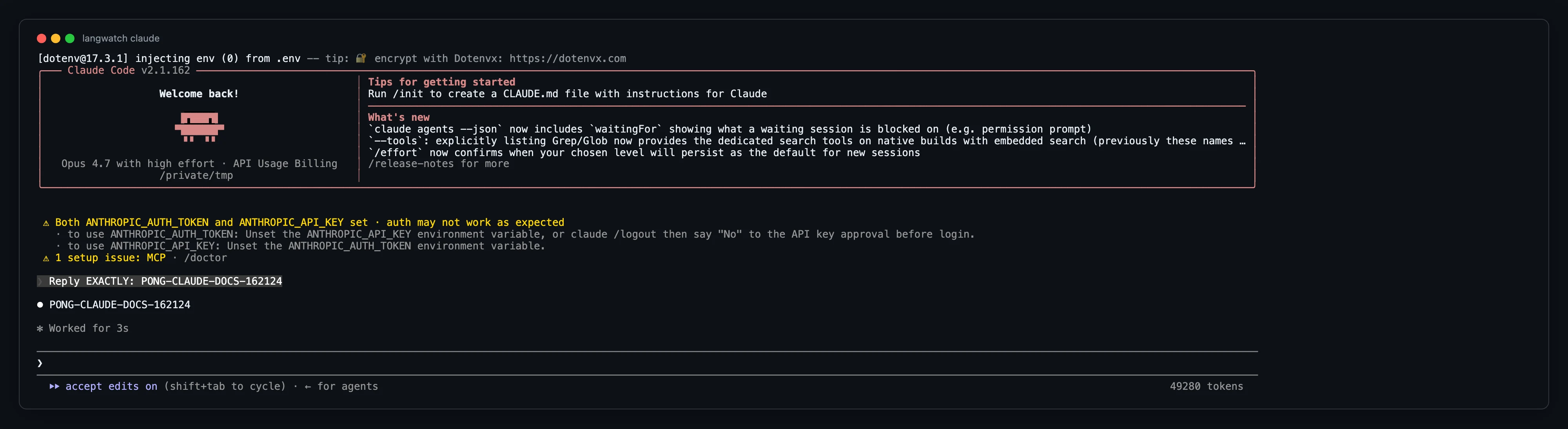
1.4 Run Claude Code through the wrapper
ANTHROPIC_BASE_URL and ANTHROPIC_AUTH_TOKEN set so every request goes through the gateway. UX is identical to claude on its own: same REPL, same keybinds, same agent loop.
1.5 Open /me
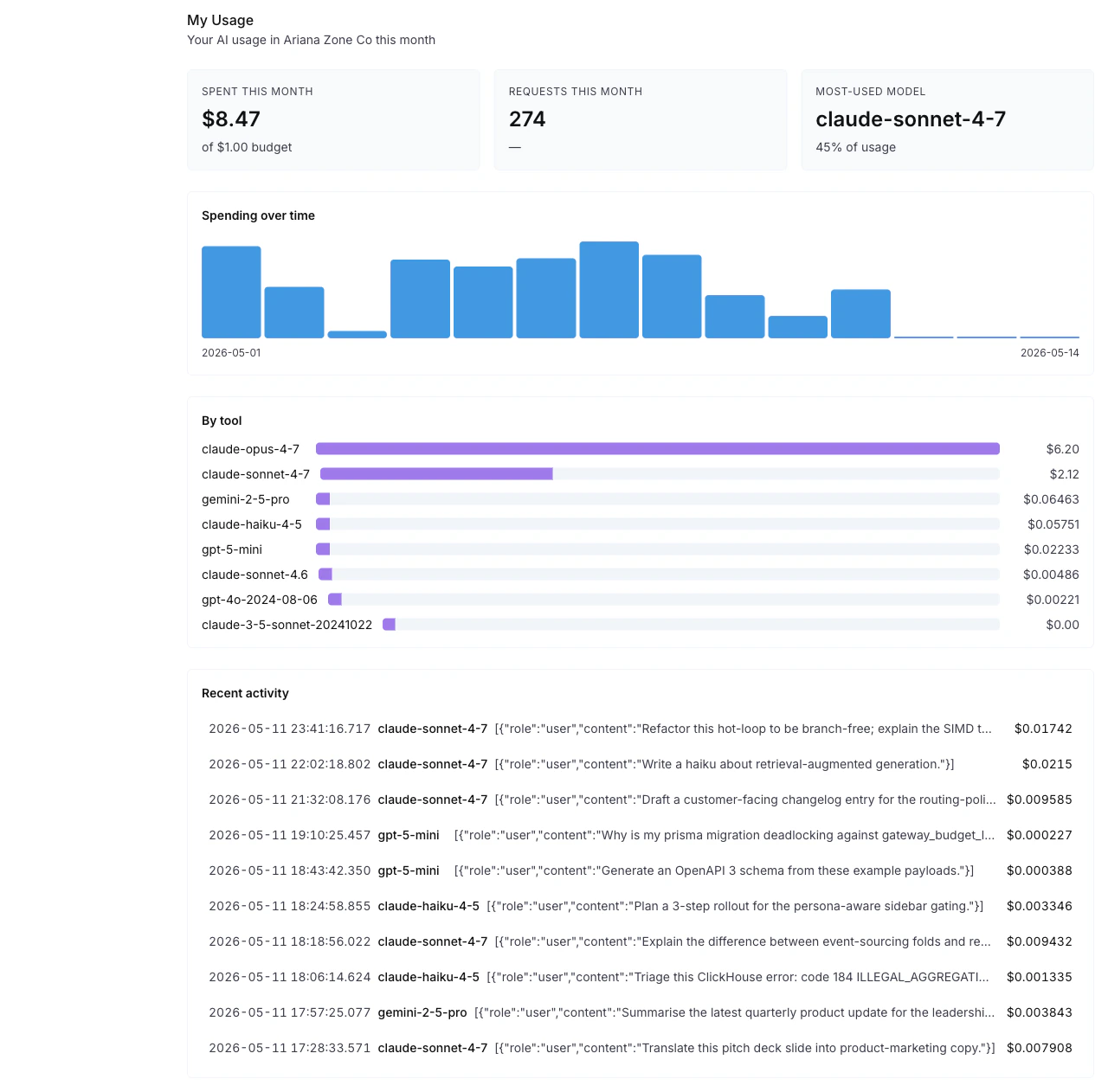
Within a few seconds:
- Spent this month has a number.
- Recent activity has a row per Claude Code turn, with model, tokens, dollar cost.
- By tool breaks down spend per model.
gen_ai.* span with prompt, response, model, tokens, and dollar cost.
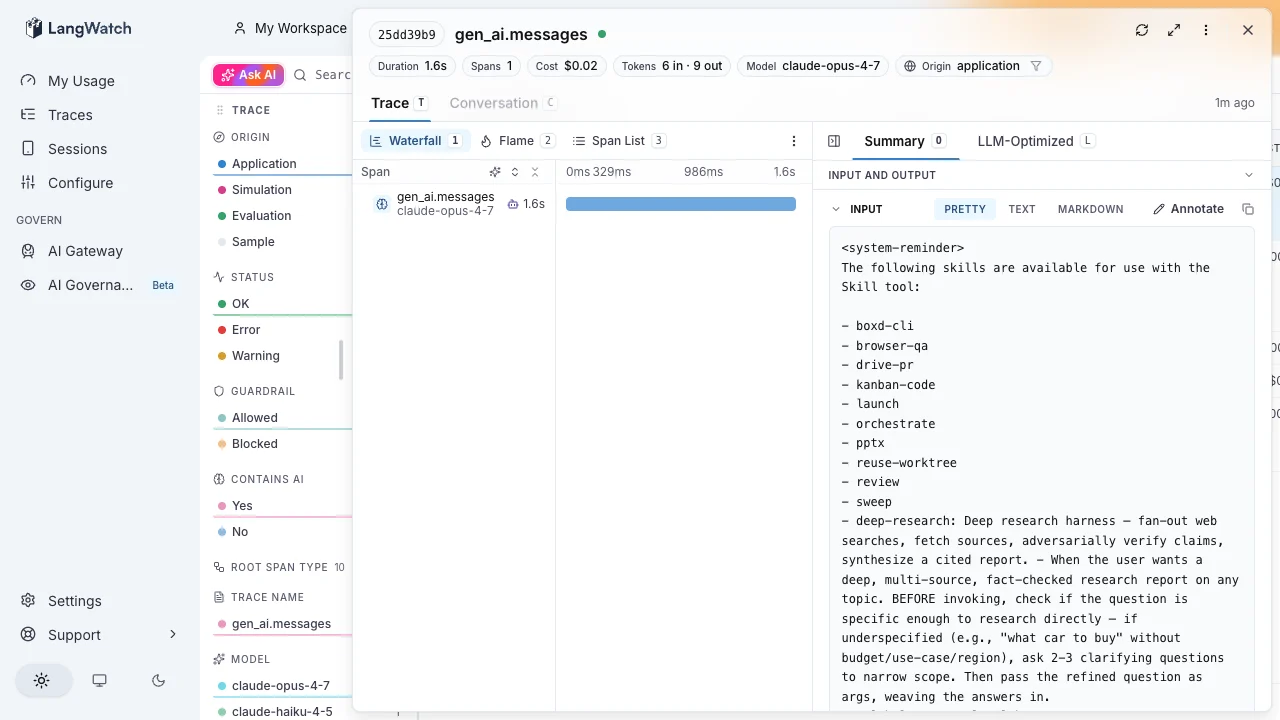
langwatch claude session writes here. Skip to What you can do with this.
Tracking Claude Code usage on 5x or 20x plans
You pay Anthropic flat per month on a Max or Pro plan. The Anthropic Console only shows a monthly total, no per-call breakdown. The only way to see per-call detail is to capture Claude Code’s own OpenTelemetry output and let LangWatch render it. You do not need a Virtual Key for this path. The wrapper detects that no API key is on file and falls back to OTLP ingestion automatically.2.1 Install the CLI
2.2 Log in
2.3 Run Claude Code through the wrapper
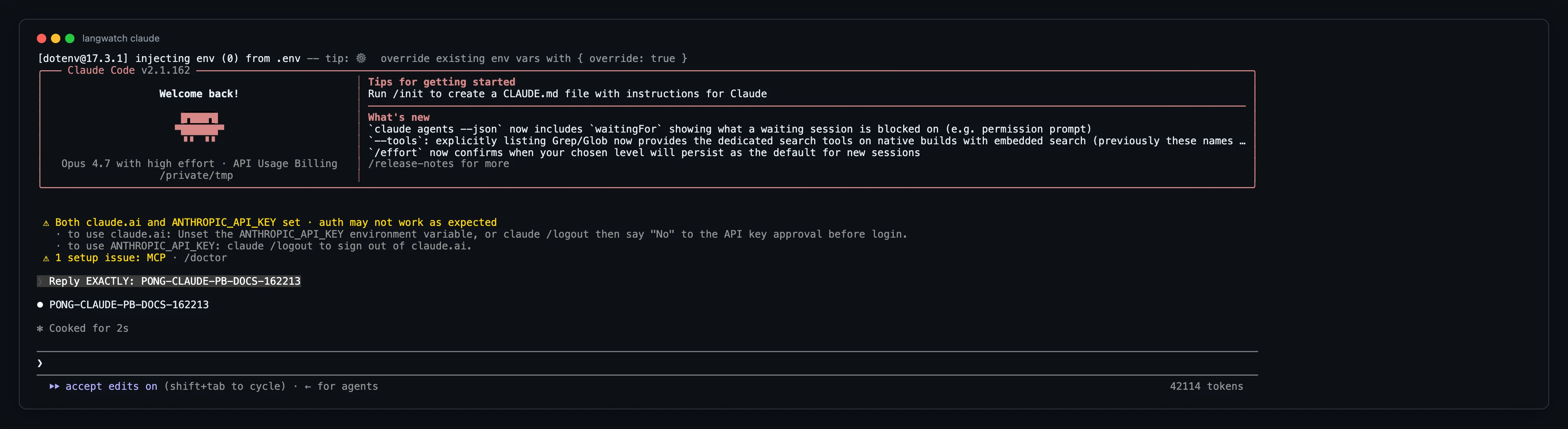
2.4 Open /me
Within ~30 seconds of your first turn:
- Spent this month has a number from Claude Code’s own
cost_usdfield. - Recent activity has a row per turn.
- By tool shows the model breakdown.
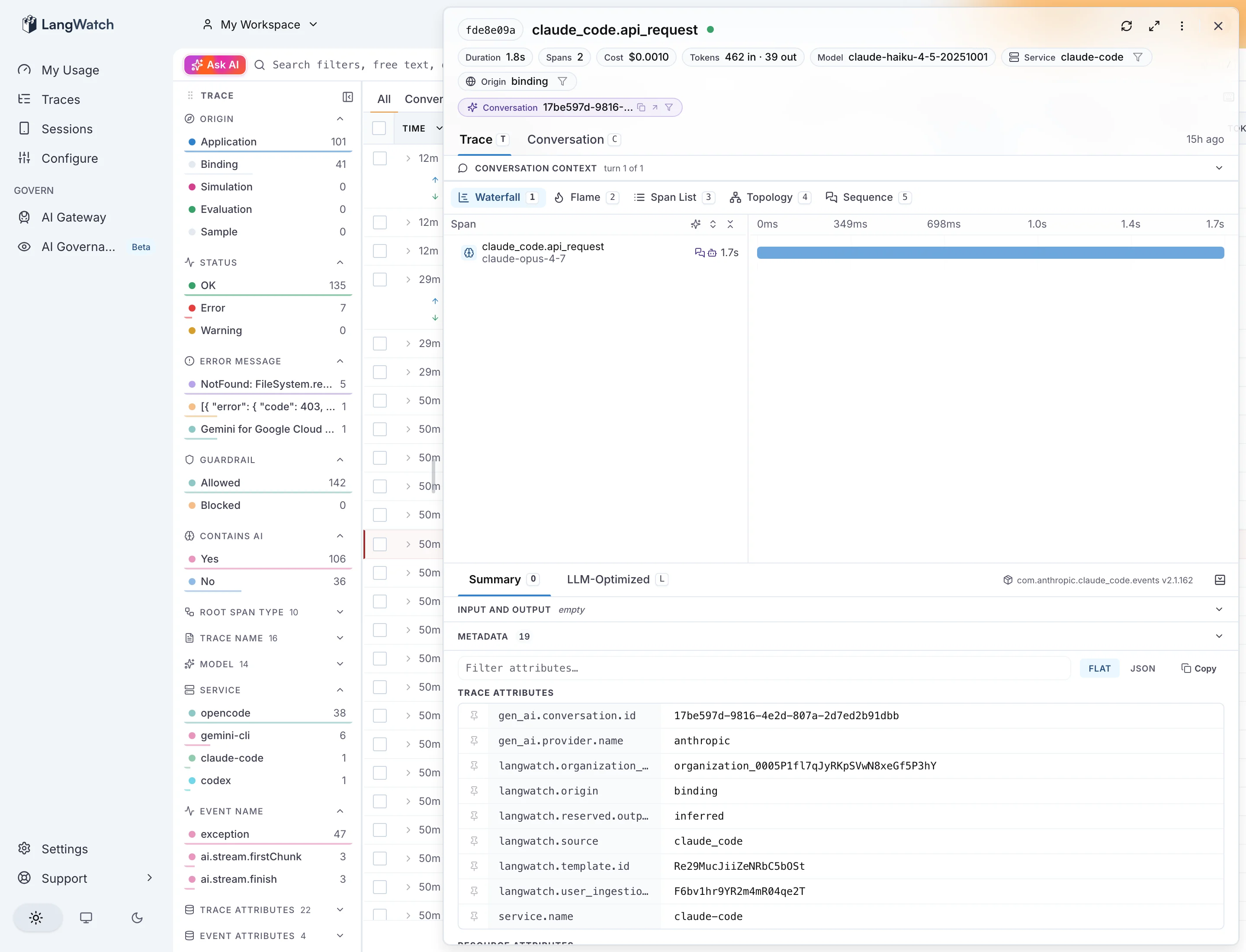
Per-repo telemetry with plain claude (no wrapper)
Use this when you have both work and personal repos on the same machine, want telemetry on for specific repos only, run plain claude (no wrapper), want the configuration auto-applied per repo at launch with no leak to personal repos.
This is a delivery method, not a third billing path — it works under either Path 1 or Path 2’s billing model. Instead of the langwatch claude wrapper injecting environment variables at spawn time, Claude Code reads them from .claude/settings.json in your project root at launch. The LangWatch-specific wiring connects to the project OTLP endpoint (/api/otel/v1/traces). For why the project endpoint is the correct home for Claude Code’s own usage telemetry (versus the governance IngestionSource plane), see Choosing the right OTel endpoint. For how Claude Code’s env block works and its settings-precedence rules, see the Claude Code settings reference — this section documents only the LangWatch wiring.
A repo with no
.claude/settings.json env block, run with plain claude, emits zero telemetry to LangWatch.Get your project key
The key you need is a standard LangWatch project API key (sk-lw-…). Mint it at app.langwatch.ai/authorize — the same self-serve page that produces LANGWATCH_API_KEY in the quick-start guide.
Minting requires a live device session. If the mint returns 401, re-run langwatch login --device to refresh it. Once minted, ingestion does not need a live session — the key authenticates the OTLP endpoint standalone; your claude sessions keep sending traces even after the device session expires.
An ik-lw- write-only key (obtainable via the governance REST endpoint) also authenticates the project OTLP endpoint, but sk-lw- is the documented self-serve path.
The two-file recipe
Commit.claude/settings.json with the non-secret flags and keep the bearer token plus the CLAUDE_CODE_ENABLE_TELEMETRY enable flag in a gitignored .claude/settings.local.json. Telemetry is off by default: the enable flag lives only in the local file, so a fresh clone with just the committed settings.json (and no settings.local.json) never attempts to export. This matters because the committed flags include OTEL_LOG_USER_PROMPTS (prompt text); raw API bodies (OTEL_LOG_RAW_API_BODIES) are kept off in committed config as the highest-risk flag and opted into locally only when needed. None of this content ships until the repo owner opts in locally by adding the enable flag. settings.local.json’s env merges per-key with settings.json’s env, so the local enable flag combines with the committed flags rather than replacing them.
.claude/settings.json (commit this):
npx @langwatch/server), replace the endpoint with http://localhost:5560/api/otel. The SDK auto-appends /v1/traces, /v1/logs, /v1/metrics — never write the per-signal path yourself.
.claude/settings.local.json (gitignore this — add .claude/settings.local.json to .gitignore):
Verify
Runclaude for at least one turn, then send a test trace or inspect the OTLP response. Real success requires two conditions to both be true:
- The response body contains
"Trace received successfully."(not just HTTP 200). partialSuccess.rejectedSpansequals0over a non-empty body (at least one span submitted).
{"message":"No traces to process"} with 200, and a malformed span returns rejectedSpans:1 with 200. Both are silent failures.
View confirmed traces in /traces and cost attribution in /me.
langwatch ingest list will be empty for this path — that is expected. ingest list surfaces governance IngestionSources only (the lw_is_ plane); project-plane traces never create an IngestionSource. Verify via /traces and /me, not ingest list.
Gotchas
Claude Code readssettings.json env at launch. A session already running when you add or change the env block emits nothing until you restart claude. If telemetry is missing after editing the file, exit and relaunch.
.gitignore covering all of .claude/ silently swallows the committed settings.json. Some repos ignore the entire .claude/ directory for privacy. That prevents git add from staging settings.json, so teammates never inherit the telemetry flags — yet local telemetry still works for you (the file is present on disk), so you won’t notice. Fix: either git add -f .claude/settings.json to force-track it, or — if you want the file tracked by default — fix the .gitignore itself. A bare !.claude/settings.json negation is a no-op here, because git won’t descend into an excluded directory to re-include a file under it. You have to un-ignore the directory first, then re-ignore the secret files:
git check-ignore .claude/settings.json reports it is no longer ignored (so it commits), while settings.local.json stays ignored (so your token is safe).
Shared key vs key per repo. One sk-lw- key can serve any number of repos — attribution rides on the project.repo resource attribute, not the key itself. However, revoking a shared key (app/dashboard only — no CLI revoke) kills telemetry for all repos using it. If you need isolated blast radius, mint a separate key per repo.
Telemetry is scoped to the launch directory, not the git repository identity. Claude Code resolves .claude/settings.json by walking up from the working directory at launch — so starting from a subdirectory still works via walk-up. A git worktree of the same repo is a separate directory tree; its gitignored settings.local.json does not carry over from the main worktree, so telemetry silently won’t apply in the worktree unless you re-wire it there. project.repo is a hand-set label in OTEL_RESOURCE_ATTRIBUTES — it is not derived from the git remote or any git metadata.
What you can do with this
Whichever path you walked, the data is now sitting on/me and /traces. Some things you can do with it that Claude Code does not give you on its own:
Find expensive sessions
/traces is the right surface for this: filter by cost, sort, drill into any session to see exactly what was sent and what came back. Useful when one session burns through an unexpected amount of context, or when you want to audit a whole day of agent activity.
Audit cache hit ratio
The trace metadata includescache_creation_tokens and cache_read_tokens separately. Anthropic prompt caching reads at roughly 0.1x and writes at roughly 1.25x of the regular input rate, so the split is the difference between expensive and cheap turns. If your cache_read ratio is low, your prompts are probably changing the cacheable prefix between turns.
See what the agent actually sent
You can read every prompt the agent issued, including the long system prompt and any tool definitions it injected.Set a personal budget
/me → Settings → Personal budget. Set a monthly cap.
- Path 1: the gateway enforces it. Requests fail with
budget_exceededonce you cross. - Path 2: alerts at 80% and 100%. Claude Code calls keep flowing; Anthropic does not let the receiver gate them.
Have the agent improve itself off its own traces
Point Claude Code (or any agent) at LangWatch’s skills directory so it can reach into its own past traces, find where it wasted tokens or made the wrong call, and update its own behaviour. The LangWatch MCP does the same thing through the MCP protocol.Use the same wrapper for other CLIs
Same pattern works for the other agent CLIs you might be running. The wrapper picks gateway vs OTLP ingestion based on whether a Virtual Key is on file.| Command | With Virtual Key | Without Virtual Key |
|---|---|---|
langwatch claude | gateway via ANTHROPIC_BASE_URL + ANTHROPIC_AUTH_TOKEN | OTLP via CLAUDE_CODE_ENABLE_TELEMETRY + an ingestion key on OTEL_EXPORTER_OTLP_HEADERS="Authorization=Bearer sk-lw-…" + the four OTEL_LOG_* unlock knobs (USER_PROMPTS, TOOL_DETAILS, TOOL_CONTENT, RAW_API_BODIES) so user prompt text, tool I/O content, and full api_response_body assistant text all land on the wire |
langwatch codex | gateway via OPENAI_BASE_URL + OPENAI_API_KEY | OTLP via [otel] block in ~/.codex/config.toml |
langwatch gemini | gateway via GOOGLE_GEMINI_BASE_URL + GEMINI_API_KEY | OTLP (gen_ai.* native) |
langwatch opencode | gateway via OPENAI_* + ANTHROPIC_* env pairs | OTLP (opencode 1.14 emits structural spans only; tokens / model / cost wait on upstream gen_ai.* adoption) |
Privacy
Everything you mint here is scoped to your personal project. If you signed in via a shared org workspace, switch to your personal workspace before runninglangwatch login so the wrapper binds to the right account; the workspace picker is at the top of the sidebar.
For self-hosted (npx @langwatch/server), nothing leaves your machine. Postgres, ClickHouse, and Redis all bind to localhost.
Troubleshooting
Nothing in Recent activity after 30 seconds. Confirm the wrapper spawned with the right env. Open~/.langwatch/config.json: Path 1 needs a default_personal_vk block, Path 2 needs the wrapper to have minted an ingestion key (sk-lw-…) on first run. If neither shows up, re-run langwatch login --device and then langwatch claude again. langwatch init-shell prints the eval-able shell snippet showing exactly which env vars the wrapper injects.
401 from the gateway (Path 1). Your Virtual Key probably rotated. Re-run langwatch login --device or re-mint the Virtual Key from /me → Model providers.
Cost shows $0 even though traces land (Path 2). Model alias in the span does not match a current entry in LangWatch’s cost catalog. Check gen_ai.request.model on the span; current-gen identifiers (claude-sonnet-4-6, claude-opus-4-7, claude-haiku-4-5) match. Legacy aliases (claude-3-5-sonnet-20241022) silently return NULL cost.
Self-hosted: app starts but /me is empty. You probably signed up with the wrong provider. npx @langwatch/server only enables email + password by default. Sign up with that.
For deeper failure modes see CLI debug and Ingestion Templates.