

 LangWatch DSPy Visualization tracks your DSPy experiments in real time, so you can follow the progress, track costs and debug each step.
1. Install the Python library
- Notebook
- Command Line
bash !pip install langwatch 2. Login to LangWatch
Import and authenticate the LangWatch SDK:3. Start tracking
Before your DSPy program compilation starts, initialize langwatch with your experiment name and the optimizer to be tracked:init tracks BootstrapFewShot, BootstrapFewShotWithRandomSearch, COPRO, MIPROv2 and GEPA, and a dspy.Evaluate through the evaluator parameter. A GEPA run gets one step for the seed program and one for every candidate evaluated on the validation set, with the candidate’s instructions and the score of each validation example. For any other optimizer, see Custom optimizer tracking.
Follow your experiment
Open the link provided when the compilation starts or go to your LangWatch dashboard to follow the progress of your experiments: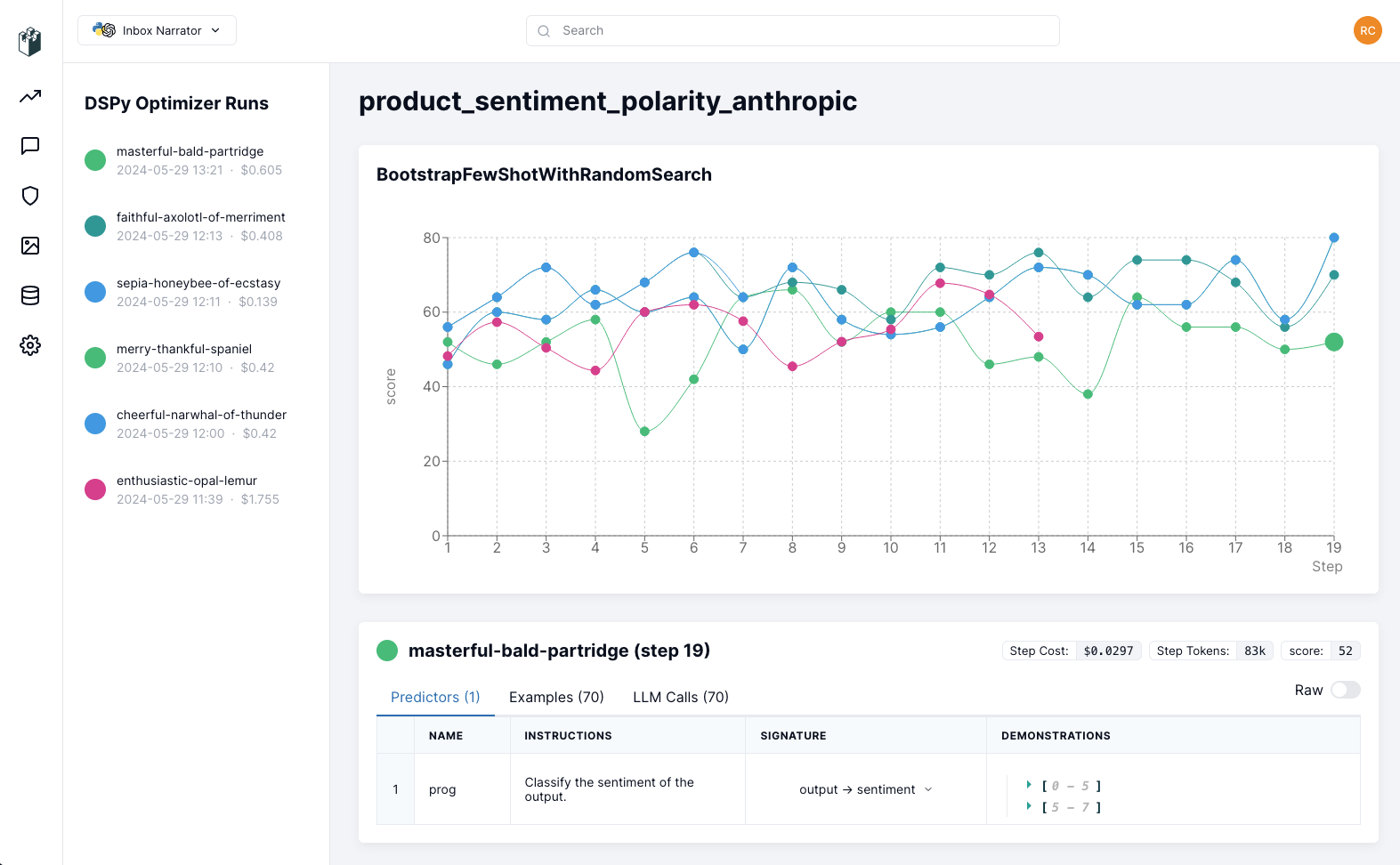
Wrapping up
With your experiments tracked on LangWatch, you can explore how the training is going and look at the examples, the LLM calls and the different steps, so you can find where to improve your DSPy program.When you are ready to deploy your DSPy program, you can monitor the inference traces on LangWatch
dashboard as well. Check out the Python Integration Guide for more
details.