> ## Documentation Index
> Fetch the complete documentation index at: https://langwatch.ai/docs/llms.txt
> Use this file to discover all available pages before exploring further.
> ## Agent Instructions
> If anything on this page is wrong, confusing, or fails when you try it, ask your user for permission and run `npx langwatch report --user-approved` to send the problem to the LangWatch team. No login is needed and secrets are redacted locally. `npx langwatch report --help` has the details.
# DSPy Visualization Quickstart
> Quickly visualize DSPy notebooks and optimization experiments in LangWatch to support debugging and agent evaluation.
[ ](https://colab.research.google.com/github/langwatch/langwatch/blob/main/sdks/python/examples/dspy_visualization.ipynb)
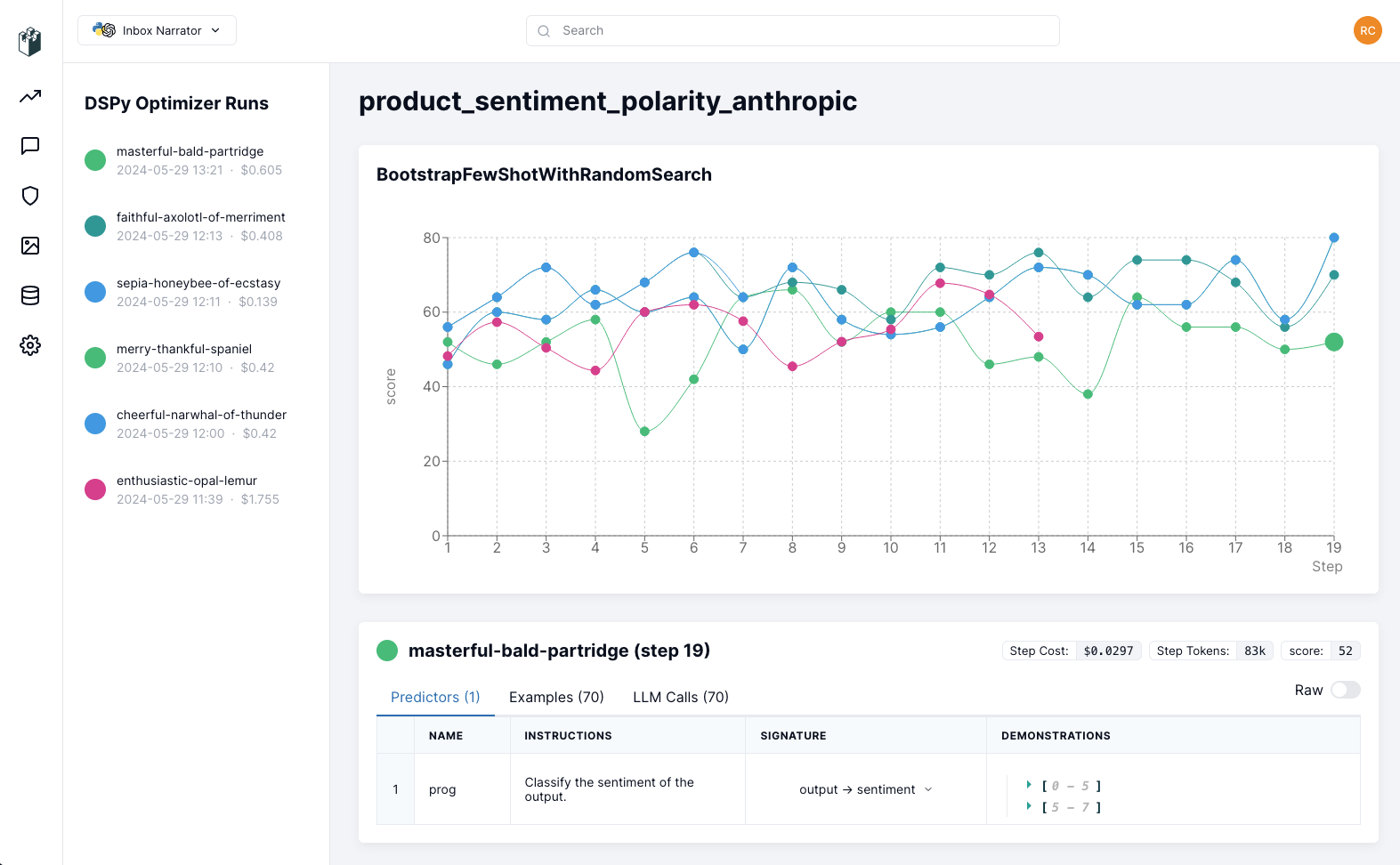
LangWatch DSPy Visualization tracks your DSPy experiments in real time, so you can follow the progress, track costs and debug each step.
## 1. Install the Python library
```bash theme={null}
!pip install langwatch
```
```bash theme={null}
pip install langwatch
```
## 2. Login to LangWatch
Import and authenticate the LangWatch SDK:
```python theme={null}
import langwatch
langwatch.login()
```
Be sure to log in or create an account using the displayed link, then provide your API key when prompted.
## 3. Start tracking
Before your DSPy program compilation starts, initialize langwatch with your experiment name and the optimizer to be tracked:
```python theme={null}
# Initialize langwatch for this run, to track the optimizer compilation
langwatch.dspy.init(experiment="my-awesome-experiment", optimizer=optimizer)
compiled_rag = optimizer.compile(RAG(), trainset=trainset)
```
## Follow your experiment
Open the link provided when the compilation starts or go to your [LangWatch dashboard](https://app.langwatch.ai) to follow the progress of your experiments:
](https://colab.research.google.com/github/langwatch/langwatch/blob/main/sdks/python/examples/dspy_visualization.ipynb)
LangWatch DSPy Visualization tracks your DSPy experiments in real time, so you can follow the progress, track costs and debug each step.
## 1. Install the Python library
```bash theme={null}
!pip install langwatch
```
```bash theme={null}
pip install langwatch
```
## 2. Login to LangWatch
Import and authenticate the LangWatch SDK:
```python theme={null}
import langwatch
langwatch.login()
```
Be sure to log in or create an account using the displayed link, then provide your API key when prompted.
## 3. Start tracking
Before your DSPy program compilation starts, initialize langwatch with your experiment name and the optimizer to be tracked:
```python theme={null}
# Initialize langwatch for this run, to track the optimizer compilation
langwatch.dspy.init(experiment="my-awesome-experiment", optimizer=optimizer)
compiled_rag = optimizer.compile(RAG(), trainset=trainset)
```
## Follow your experiment
Open the link provided when the compilation starts or go to your [LangWatch dashboard](https://app.langwatch.ai) to follow the progress of your experiments:
 ## Wrapping up
With your experiments tracked on LangWatch, you can explore how the training is going and look at the examples, the LLM calls and
the different steps, so you can find where to improve your DSPy program.
When you are ready to deploy your DSPy program, you can monitor the inference traces on LangWatch dashboard as well. Check out the [Python Integration Guide](/docs/integration/python/guide) for more details.
For any questions or issues, feel free to contact our support, join our channel on [Discord](https://discord.com/invite/kT4PhDS2gH) or [open an issue](https://github.com/langwatch/langwatch/issues) on our GitHub.
## Wrapping up
With your experiments tracked on LangWatch, you can explore how the training is going and look at the examples, the LLM calls and
the different steps, so you can find where to improve your DSPy program.
When you are ready to deploy your DSPy program, you can monitor the inference traces on LangWatch dashboard as well. Check out the [Python Integration Guide](/docs/integration/python/guide) for more details.
For any questions or issues, feel free to contact our support, join our channel on [Discord](https://discord.com/invite/kT4PhDS2gH) or [open an issue](https://github.com/langwatch/langwatch/issues) on our GitHub.